flowline documentation
-
Run it locally
Install the pinned Jac binary, pull dependencies and serve the app on
localhost:8000in a few minutes. -
Understand the graph
Boxes, containers and typed edges: how a workspace is stored, and why one tenant can never reach another.
-
Call the API
All 90 endpoints, with request fields generated straight from the walker source, report shapes and examples.
-
Deploy with jachammer
Preview and production deploys, environment variables, domains, rollbacks and the sizing rules that keep the pods healthy.
What flowline does
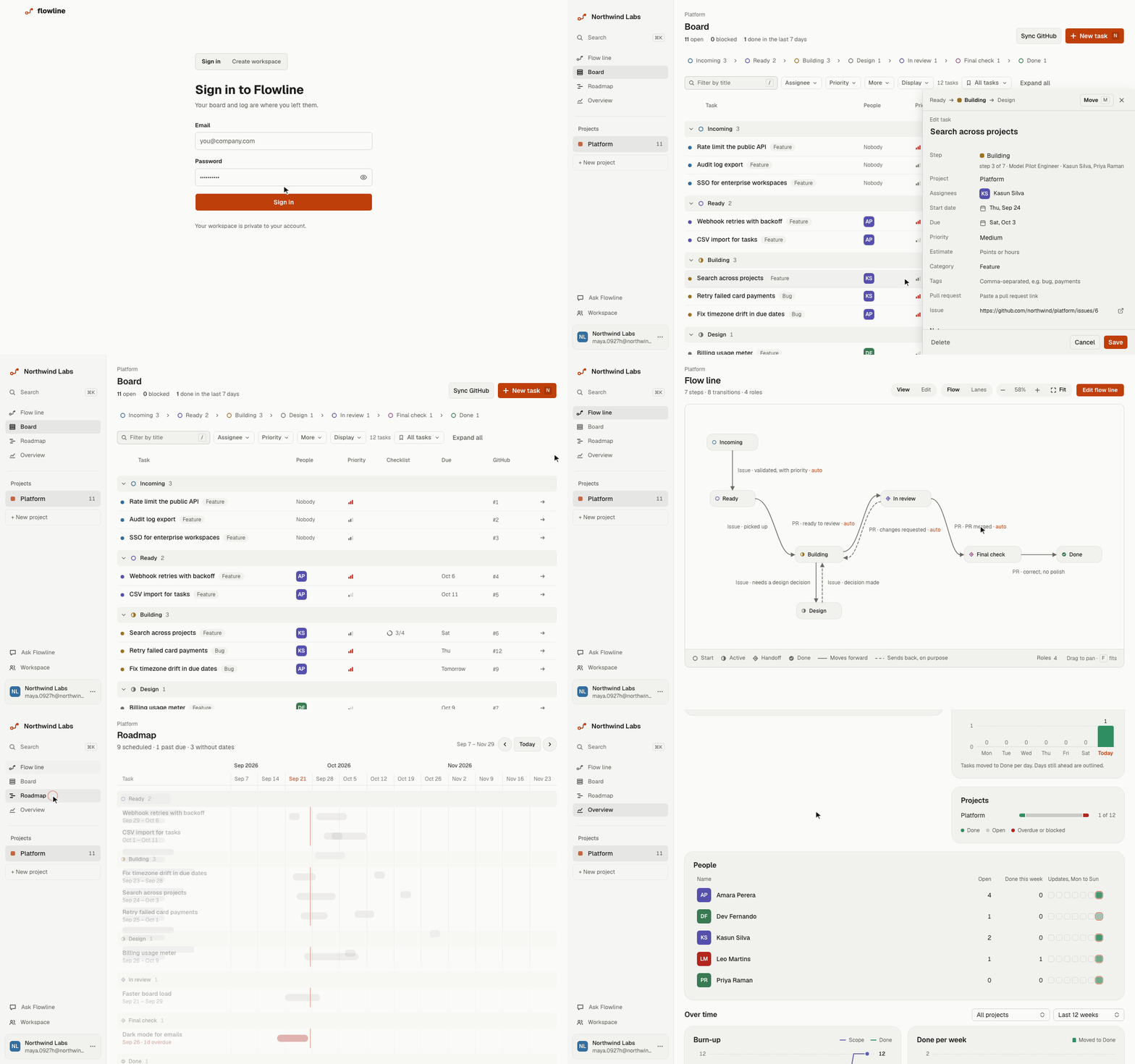
Most tools hand every team the same stages. In flowline a team draws the steps it really uses, connects them however work moves (loops and branches included), and the board becomes those steps: one project's work, stacked step by step down the page. Every move lands in the task's activity log, so the standup note is already there. Dated tasks are followed on a roadmap.
-
A flow line per organization
Start from Simple, the Software team template or a blank canvas. Each step carries a kind (start, active, handoff, blocked, done) behind the name you chose, so renaming a step never changes how anything behaves.
-
Task events write the log
Creating a task and every move land in the log with timestamps, issue and PR links and who was involved. A task's sheet shows its travel so far, and the Overview counts the week.
-
GitHub, live
Install a GitHub App on the repos you choose. Issues and pull requests reach an open board within seconds through signed webhooks.
-
An assistant that stays grounded
It reads a deterministic snapshot of the workspace, writes the standup note, answers questions, and proposes changes a person confirms.
How the pieces fit
flowline is one Jac project. The same jac run process serves the React client
and the walker API, and persists a graph per account in Postgres.
flowchart LR
    ui["Browser<br/><small>React client</small>"]
    gh["GitHub"]
    ui ~~~ gh

    subgraph server["jac run"]
        direction TB
        api["/walker/*<br/><small>services/</small>"]
        auth["/user/* and /sso/*<br/><small>accounts, sign-in</small>"]
        hook["/webhook/GithubEvent<br/><small>signature-checked</small>"]
    end

    llm["LLM via byLLM"]
    db[("Postgres<br/><small>a graph per account</small>")]

    ui -- "JWT" --> api
    ui -- "login" --> auth
    gh -- "deliveries" --> hook
    api -- "snapshot" --> llm
    api --> db
    auth --> db
    hook -- "queue" --> db
Walkers call GitHub with a short-lived installation token minted per request; the webhook receiver only queues, and each workspace applies its own queue.
| You want to | Start here |
|---|---|
| Run the app on your machine | Install Jac, then Run locally |
| Turn on Google or GitHub sign-in | Single sign-on |
| Connect a GitHub App | Connect GitHub |
| Build against the API | API overview |
| Learn the stored graph | Data graph |
| Ship a preview or production build | Deploy with jachammer |
| Change the code | Contributing and Jac gotchas |